
M‑Care Suite / Finance & reconciliation

Close the month from the system, not from spreadsheets.

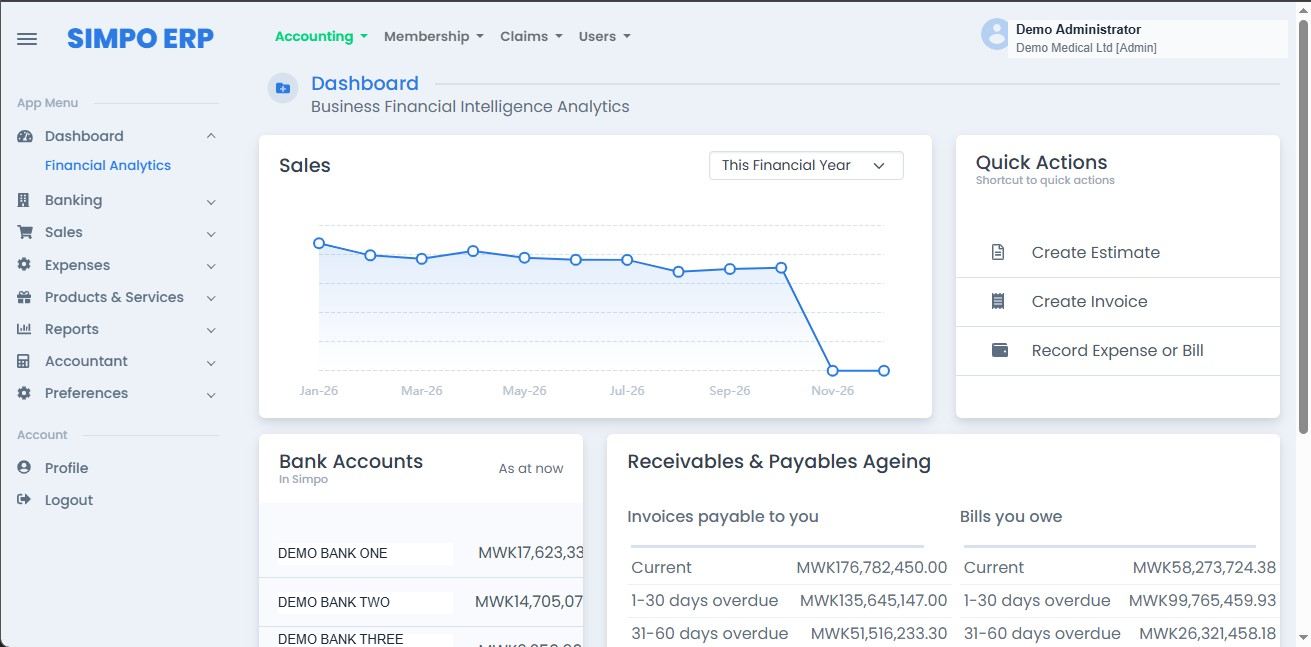
For medical insurers' finance offices: a full accounting system built into M‑Care Suite — revenue from quotation to receipt, expenditure from claim or bill to approved payment, your chart of accounts, journals and reports — with client payments reconciled automatically through your bank.
Free trial on your own chart of accounts and a month of your own transactions. Nothing to commit to.
Money in, money out, and what each payment is waiting on — in one set of books.

The current way

Membership and claims are right. The books still take a month.

Most insurers run the scheme in one system and the finance office in another — a spreadsheet, a separate package, or both. Everything between them is retyped, rechecked and reconciled by hand.

Current way
Quotations, proformas and invoices are prepared outside the accounts.
Consequence
Invoices are typed twice, and what was quoted, invoiced and received never quite agrees.
Bigger problem
You cannot say with certainty who owes you what, or how long they have owed it.
Current way
Client payments are matched to invoices by hand from bank statements.
Consequence
Receipts go out late, payments sit unallocated, and clients are chased for money they have already paid.
Bigger problem
Your debtors figure is only as current as the last person who reconciled the bank.
Current way
Payments to hospitals and suppliers are signed off on paper or by email.
Consequence
Bills are paid twice or late, deductions are missed, and nobody can show who authorised what.
Bigger problem
Money leaves the company without a decision on record — the first thing an auditor or regulator asks about.

How it works with M‑Care Suite instead

The whole accounting cycle, in the same system as the scheme

Every transaction — a premium invoiced, a claim approved, a bill paid, a journal posted — lands in the accounts you defined. Nothing is retyped between membership, claims and finance.

Set up
Your chart of accounts, not a generic one
Your own account structure — income, cost of sales, expenses, assets, liabilities, banks and petty cash — with the cost centres your auditors already use. Your finance team loads it with a wizard, or we load it for you.
Your account codes
Banks & petty cash
Cost centres
Result
Every figure the system produces is in the language your finance team already reports in.
Revenue cycle
Quotation, proforma, invoice, payment received
Quote a new organisation or family. Once accepted, a proforma is built from the approved member list, amendments during the month are approved before invoicing, and the invoice run updates the accounts the moment the proforma becomes an invoice.
Quotations
Proforma to invoice
Accounts updated on invoicing
Result
What you quoted, invoiced and received is one trail, not three documents.
Reconcile
Client payments matched without anyone touching them
With the banks and financial institutions M‑Care Suite is integrated with, a client's payment is matched to its invoice as it arrives, the receipt is issued and the debtor is cleared — no statement download, no manual allocation.
Bank feed
Matched to invoice
Receipt issued
Result
Your debtors position is correct today, not after month‑end reconciliation.
Expenditure cycle
Approved claims and supplier bills become payables
When a claims batch is approved it posts as a payable to the hospital and to cost of sales. Supplier bills and office expenses are captured against the same ledger, so everything the company owes sits in one creditors list.
Claims batch to payable
Supplier bills
One creditors list
Result
You know exactly what is owed, to whom, and since when.
Requisition
No payment leaves without approval
The requester selects the invoices and bills due, adds other expenses and transfers, applies deductions such as withholding tax or discount, and chooses the bank. A higher authority approves or denies each line. Only then can it be paid — and a payment advice is emailed to the hospital or supplier.
Select what's due
Approve line by line
Payment advice emailed
Result
Every payment out has a request, an approver and a reason on record.
Journals
Corrections with a reason and an author
Accruals, prepayments, depreciation, reserves and corrections are posted as journals, never as edits. The original entry stays, with the reason and the author recorded.
Journals, not edits
Reason recorded
Author recorded
Result
Every correction is visible and traceable.
You get
Reports and statements whenever you ask
Trial balance, statement of comprehensive income, statement of financial position and statement of cash flows, with debtors and creditors ageing — for any period, from the same ledger. Anything else your board or regulator requires, we build on request.
Trial balance
The three statements
Debtors & creditors ageing
Result
Board and regulator packs come out of the system, not a spreadsheet.

Worried about moving your finance?

Finance is where you can't afford to guess. Here's how M‑Care Suite runs alongside your current books until the figures agree.

You might be thinking
“Our approval rules are specific to us.”
What we do
The requisition follows your stages.
One approver or several, limits by amount, different routes for claims, bills, expenses and transfers — set to match the controls your company has already agreed.
Approval stages agreed in writing before go‑live.
You might be thinking
“Is our bank one you are integrated with?”
What we do
We'll tell you before you start.
Automatic reconciliation works with the financial institutions we are integrated with. Where yours isn't yet, payments are still matched in the system from the bank statement — and we'll tell you which applies before the trial.
Confirmed for your bank during setup.
You might be thinking
“We cannot have a month without figures.”
What we do
Run a month in parallel.
Membership and claims move first. The finance side then runs alongside your current books for a full month, so you can compare the trial balance and statements before you switch.
A full month run both ways, then compared.

Run one month through it and compare the trial balance

Try it free on your own chart of accounts: invoice a past month, let the payments reconcile, run a requisition through your approval chain, and compare the statements with the ones you reported.

Free trial on your own chart of accounts and a month of your own transactions. Nothing to commit to.
The other jobs in M‑Care Suite
One member record you can rely on
How this saves you money →
Pay only what your rules and prices allow
How the system protects your money →
Invoice every client at once
How this gets you paid sooner →